Getting started in 15 minutes
OpenGrade is a self-hosted platform for AI quality engineering: instrument your app, inspect traces, run experiments on a test set, and gate releases.
This guide uses uv and opengrade ui (SQLite — no Docker).
Core (~10 min): see a trace in the UI.
Bonus (~5 min, optional): score a tiny experiment with an LLM judge.
Prerequisites
- Python ≥ 3.12 and
uv - A chat model:
- Ollama (default):
ollama pull gemma4:e2b(or setOLLAMA_MODELto a model you have) - Cloud: set
OPENAI_BASE_URL,OPENAI_API_KEY, andOPENAI_MODELfor the app scripts - For Bonus judges: the same Ollama on localhost, or a cloud judge via
.envnext to where you runopengrade ui:
# Ollama judge (host)
LLM_MODEL=ollama/gemma4:e2b
LLM_API_BASE=http://localhost:11434

# Or cloud (example)
# LLM_MODEL=gemini/gemini-3.8-flash
# LLM_API_KEY=...
Without a reachable judge, traces still work; LLM metrics show as unavailable.
Core — UI + first trace
1. Install
Contributors only — install from a clone of this repository instead of PyPI:
# repo root (Node/npm required for the UI bundle)
python3 scripts/package_ui.py
mkdir -p /tmp/opengrade-demo && cd /tmp/opengrade-demo
uv init --bare
uv add --editable /path/to/ai-eval-platform/sdk --extra ui --extra openai
uv add openai
(sdk resolves opengrade-ai-server from the sibling backend via uv sources when editable.)
2. Start the UI
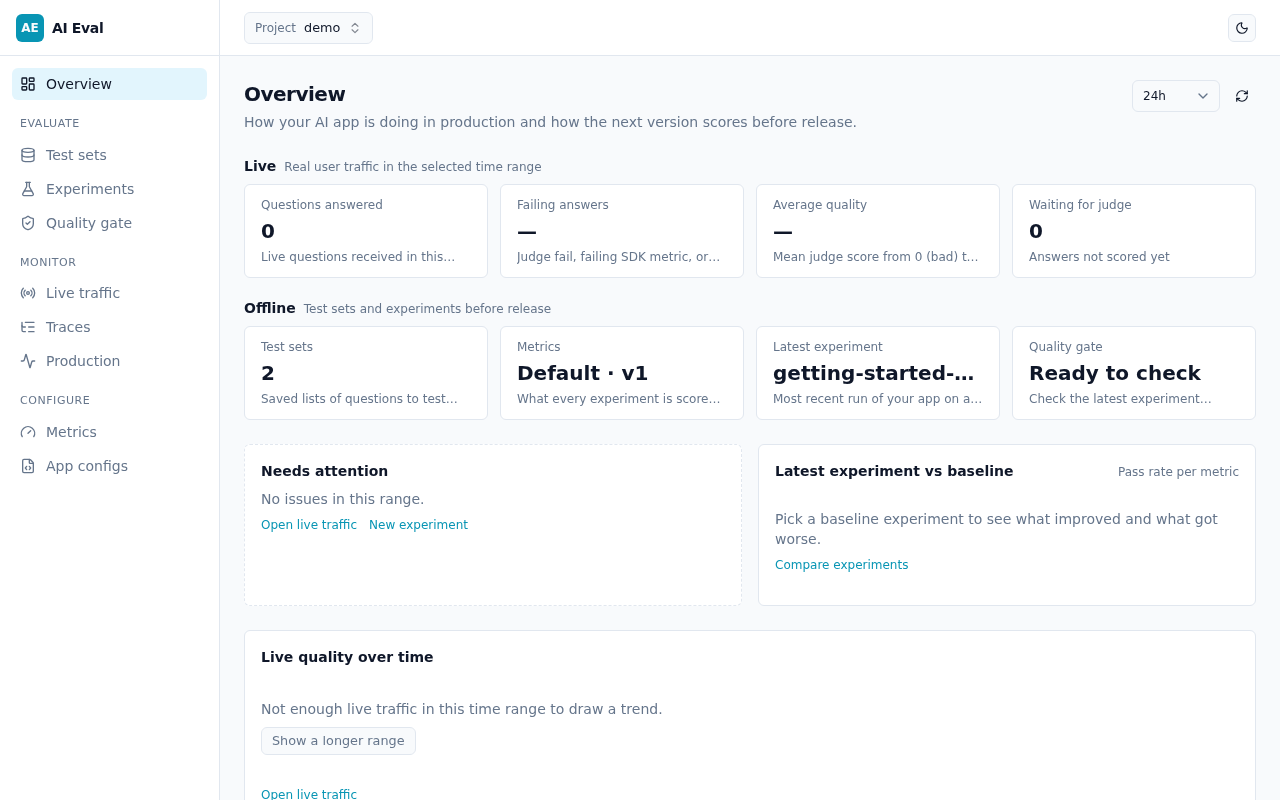
Leave it running. Open http://127.0.0.1:8000 — you should land on Overview.
3. Emit a trace
In a second terminal:
- Demo project: save the script below as
getting_started_core.py, thenuv run python getting_started_core.py. - From the OpenGrade repo (with UI still reachable at
http://127.0.0.1:8000):
getting_started_core.py:
"""Getting-started Core: one CHAIN + LLM child span → project demo."""

from __future__ import annotations

import os

from openai import OpenAI
from opengrade import Opengrade

# Reads OPENGRADE_TRACKING_URI (default http://localhost:8000); the project is created
# if it does not exist. Tracing starts on the first traced call.
og = Opengrade(project="demo", service_name="getting-started-core")

base = os.getenv("OPENAI_BASE_URL") or (
    os.getenv("OLLAMA_HOST", "http://127.0.0.1:11434") + "/v1"
)
client = OpenAI(base_url=base, api_key=os.getenv("OPENAI_API_KEY") or os.getenv("OLLAMA_API_KEY", "ollama"))
MODEL = os.getenv("OPENAI_MODEL") or os.getenv("OLLAMA_MODEL", "gemma4:e2b")


@og.trace
def ask(q: str) -> str:
    r = client.chat.completions.create(
        model=MODEL,
        messages=[{"role": "user", "content": q}],
    )
    return r.choices[0].message.content or ""


def main() -> None:
    print(ask("What is OpenGrade in one sentence?"))
    og.flush()
    print("Open Traces in the UI for project demo.")


if __name__ == "__main__":
    main()
4. Inspect in the UI
- Select project demo in the project switcher if needed.
- Open Production → Traces (Monitor section).
- Open the latest trace — parent CHAIN + child LLM.
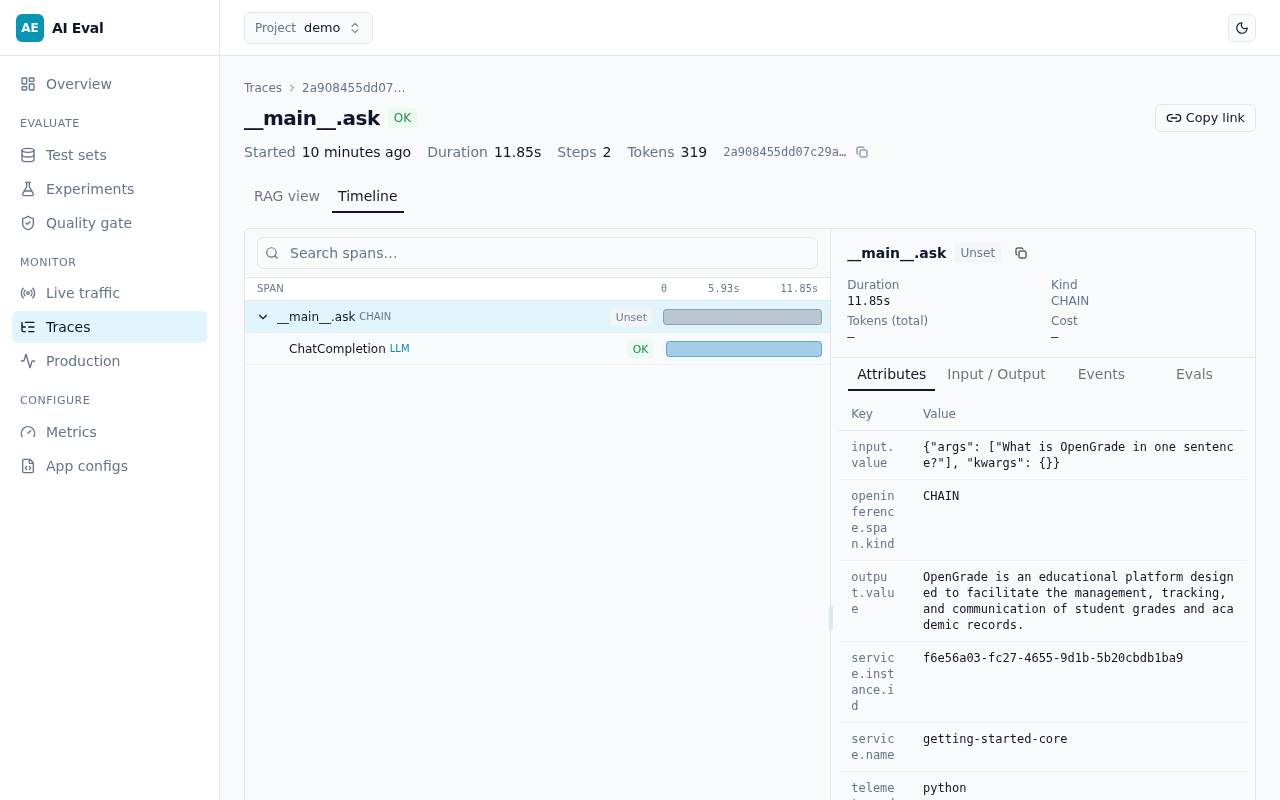
Glossary (Core): a Project is the workspace for your data; a Trace is the OTLP span tree for one request. Full glossary: docs/README.md.
Bonus — score a tiny experiment
Same venv and UI. Ensure the judge env above is set, then restart opengrade ui if you just added .env.
- Demo project: save the script below as
getting_started_bonus.py, thenuv run python getting_started_bonus.py. - From the OpenGrade repo (with UI still reachable at
http://127.0.0.1:8000):
getting_started_bonus.py:
"""Getting-started Bonus: inline dataset + evaluate → experiment URL."""

from __future__ import annotations

import os

from openai import OpenAI
from opengrade import Opengrade

og = Opengrade(project="demo", service_name="getting-started-bonus")

base = os.getenv("OPENAI_BASE_URL") or (
    os.getenv("OLLAMA_HOST", "http://127.0.0.1:11434") + "/v1"
)
client = OpenAI(base_url=base, api_key=os.getenv("OPENAI_API_KEY") or os.getenv("OLLAMA_API_KEY", "ollama"))
MODEL = os.getenv("OPENAI_MODEL") or os.getenv("OLLAMA_MODEL", "gemma4:e2b")

ROWS = [
    {
        "input": "What is the capital of France?",
        "expected_output": "Paris",
        "expected_doc_ids": ["faq-capital"],
    },
    {
        "input": "What is 2 + 2?",
        "expected_output": "4",
        "expected_doc_ids": ["faq-math"],
    },
]


@og.trace
def ask(question: str) -> str:
    r = client.chat.completions.create(
        model=MODEL,
        messages=[{"role": "user", "content": question}],
    )
    return r.choices[0].message.content or ""


def main() -> None:
    result = og.evaluate(
        dataset=ROWS,
        task=lambda item: ask(str(item.input)),  # each item becomes a trace
        metrics=["correctness", "latency"],
        name="getting-started-bonus",
        params={"model": MODEL},
    )
    print(result.summary())
    print(result.url)


if __name__ == "__main__":
    main()
It calls og.evaluate on two Q&A rows with metrics correctness and latency, then prints a UI URL.
Open Experiments, then the run named getting-started-bonus.
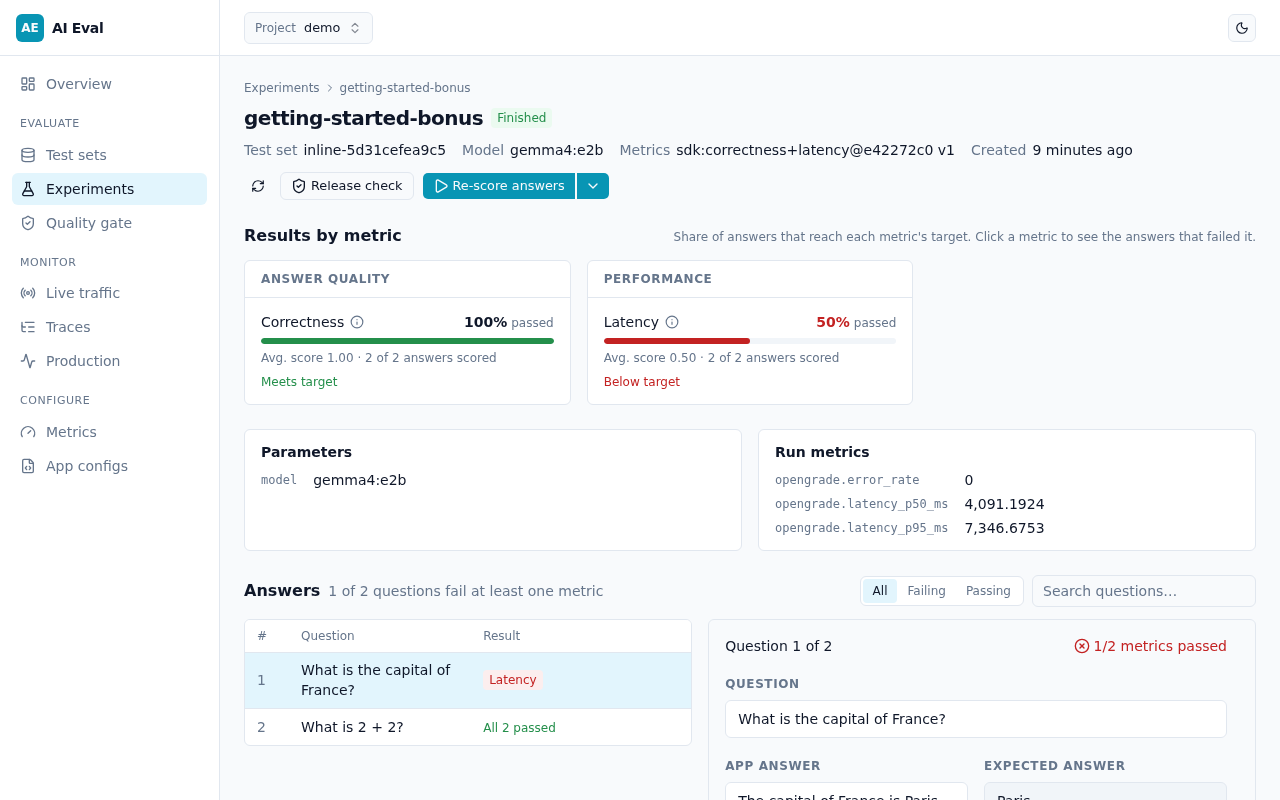
If LLM metrics are unavailable, check LLM_MODEL / LLM_API_BASE / LLM_API_KEY and the startup banner from opengrade ui.
Next steps
- How the pieces fit together (test sets, metrics, baselines, CI gate, production): How OpenGrade works
- CI exam + gate (one command):
opengrade evaluate --config opengrade.yaml— see CLI and CI andexamples/opengrade.yaml - Gate-only against an existing experiment:
opengrade check --policy opengrade.yaml - Live answers / promote to test set:
scripts/live_run_demo.py - Full SDK tour (RAG, sweeps, App Config prompt A/B): examples/sdk_tour/README.md
- SDK guide: Python SDK